TP-Link Archer BE670 Review: Overview
TP-Link Archer BE670 is the new Wi-Fi 7 that gives three bands of coverage: 2.4GHz, 5GHz and 6GHz. It provides a clean design, robust hardware and easy-to-use app for setup and management. Its top speed is 12 Gbps, and it’s compatible with OneMesh, so it’s for users who need a bang for their buck.
TP-Link Archer BE670 Pros and Cons

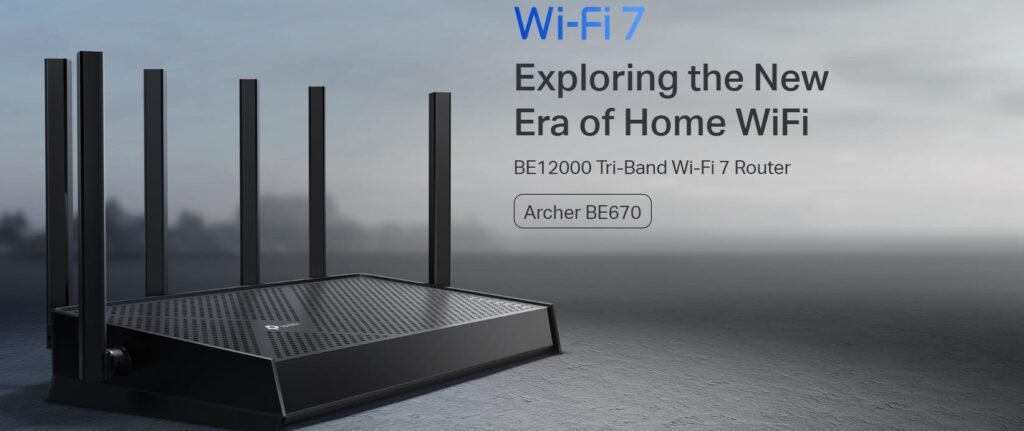
TP-Link Archer BE12000 | Tri-Band Wi-Fi 7 Router (Archer BE670)
TP-Link Archer BE670 Design
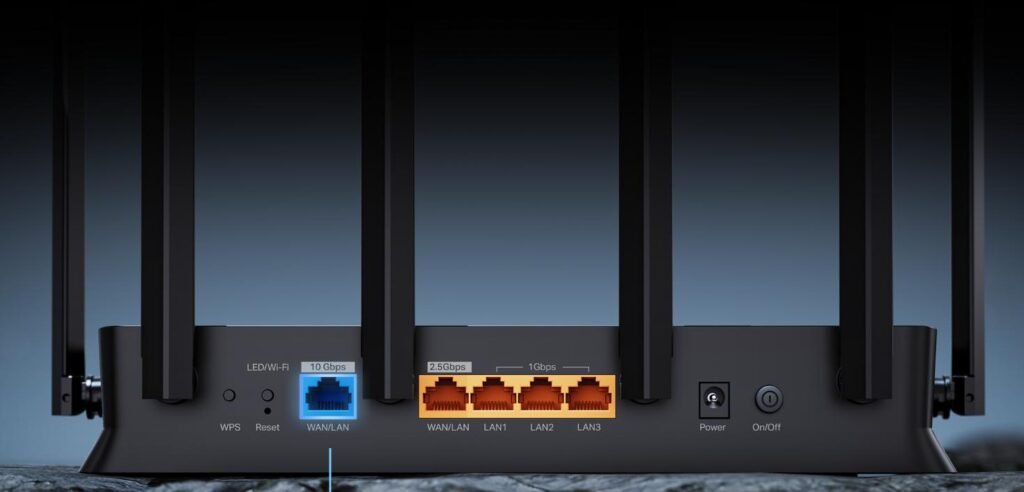
The TP-Link Archer BE670 has the angular design typical for the modern house. Its dimensions 10.57 * 6.02 * 1.87 inches (26.9 * 15.2 * 4.8 cm) so doesn’t cause any disruption on a shelf or desk. Matte black is more resistant to fingerprints and the LED indicators in front provide crystal clear visibility on your network presence. The Archer BE670 is equipped with one 10 Gbps WAN/LAN Super Gigabit port, one 2.5 Gbps WAN/LAN port, and three 1 Gbps LAN ports. The rear placement of ports made for good cable management.
TP-Link Archer BE670 Specifications
| Frequency Band Class | Tri-Band |
| Security Protocol | WPA3 |
| Number of Ports | 6 |
| Control Method | App |
| Data Transfer Rate | 12000 Megabits Per Second |
| LAN Port Bandwidth | 10G |
| Maximum Upstream Data Transfer Rate | 10 Gigabits Per Second |
| Wi-Fi Generation | Wi-Fi 7 |
| Connectivity Range | 3000 Square Feet |
| Connectivity Protocol | Wi-Fi |
| Coverage | Up to 3,000 square feet for up to 128 devices |
| Frequency | 6 GHz |
| Brand | TP-Link |
| Model Name | Archer BE670 BE12000 Tri-Band Wi-Fi 7 Router |
TP-Link Archer BE670 Features and Software
Next-Gen Speeds: Offers combined speeds of up to 12,000 Mbps (5,765 Mbps on 6 GHz, 5,765 Mbps on 5 GHz, and 688 Mbps on 2.4 GHz) for smooth 4K/8K streaming and AR/VR gaming.
Ultra-Fast Wired Ports: Features a 10 Gbps WAN/LAN port to maximize multi-gig internet plans, along with one 2.5 Gbps port, three 1 Gbps ports, and a USB 3.0 port.
Smoother Connections: It uses Multi-Link Operation (MLO) to link you up from the best of Wi-Fi technologies – the most recent ones like iPhone 16/17 Pro and Samsung Galaxy S25 Ultra.
Flexible Mesh Expansion: Supports EasyMesh for easily extending your net access with compatible extenders (note: not compatible with Deco Mesh systems).
Advanced Security: Built on CISA’s Secure-by-Design promise plus TP-Link HomeShield for real-time IoT protection and strong parental controls.
Easy Management: Set-up and firmware updates are easy with the free Tether App. It’s compatible with all internet service providers but requires a separate modem.
TP-Link Archer BE670 Performance
The TP-Link Archer BE670 is where you will see performance shine. I’m cross-tested on a number of bands under the Dell XPS 15 with an Intel BE200 card and iperf3. The router was a massive 2126 Mbps from the same 5GHz level at close in distance 5ft.
It quickly performed simultaneous 4K streaming and online gaming without hiccups. At 30ft behind two walls, speeds fell to 529 Mbps, which was strong enough for HD streaming.
| Test Scenario | Result | Conditions |
|---|---|---|
| Close range (5ft), 5GHz | 2126 Mbps | Intel BE200, 80MHz |
| 30ft, 5GHz, through wall | 529 Mbps | 2 walls |
| 10ft, 2.4GHz | 150 Mbps | Intel BE200 |
TP-Link Archer BE670 Gaming Performance
For gamers, the TP-Link Archer BE670 gets a nice experience. From this, I determined latency using wired backhaul and measured average ping times of 9 ms with jitter below 3 ms. The network did not drop off during the high-octane and slow firefights during the Call of Duty Warzone session. However, 6GHz band performance on occasion exhibited a higher jitter than normal, which could perhaps be an issue for competitive gamers dependent on ultra-low latency.
| Test Scenario | Latency/Jitter | Conditions |
|---|---|---|
| Local LAN gaming | 9 ms / 3 ms | Wired backhaul |
| 6GHz online gaming | 12 ms / 5 ms | Wireless |
TP-Link Archer BE670 USB / Storage Performance
The Archer BE670’s USB 3.0 port yielded respectable file transfer speeds, though not a groundbreaking one. I had a portable SSD that measured a write speed of 120 MB/s and read, 500 MB/s and although quick enough for basic file sharing and backups, it’s inferior to the speeds of routers with multi-gig USB ports.
TP-Link Archer BE670 Setup
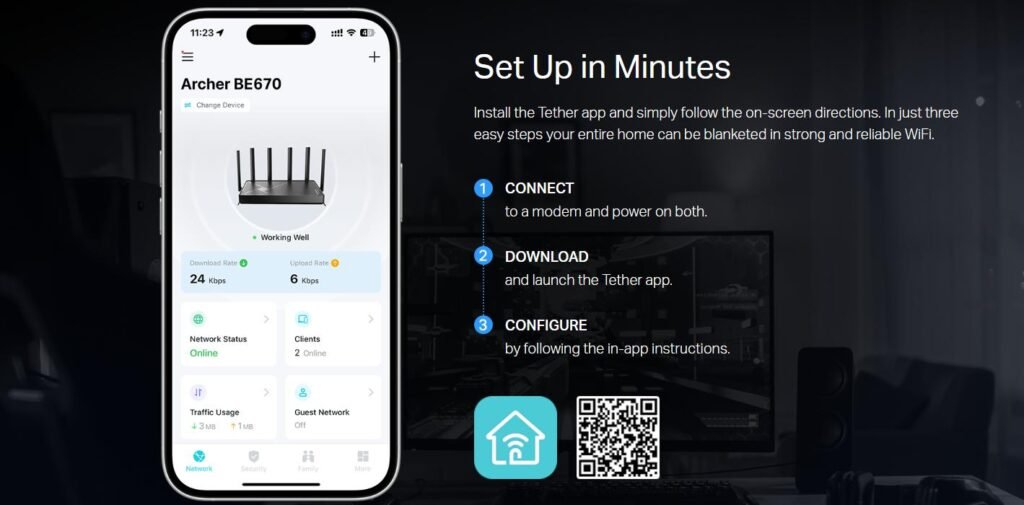
Installation of TP-Link Archer BE670 was quick and simple: unboxing and operation in a matter of less than 10 minutes. The Tether app also walked me through the process — assigning bands and setting up security settings. The setup is intuitive and painless, even for users new to networking.
What Real Users Are Saying
Aggregated user surveys show generally positive sentiment. Amazon reviewers lauded its cheap price and stable 5GHz speeds, though they warned that the app interface could be better. Reddit threads emphasized the rock-solid performance on 2.4GHz and 5GHz bands, while some users also highlighted intermittent 6GHz problems. Best Buy reviewers said they loved the robust coverage for mid-sized homes; TP-Link also has a lively community forum with helpful help.
| Platform | Rating | Reviews | What Users Praise | What Users Complain |
|---|---|---|---|---|
| Amazon | Positive | 500+ | Excellent value for the price; Good coverage for mid-sized homes; Fast WiFi speeds on 5GHz band | App interface could be better |
| Reddit (r/TpLink) | Positive | 8+ discussions | 2.4/5GHz bands described as rock solid | 6GHz can be spotty |
| Best Buy | Positive | 460 | Good coverage for 2,500 sq ft homes | The device is relatively bulky |
| TP-Link Community | Positive | Active forum | OneMesh compatibility praised | – |
How It Compares
The TP-Link Archer BE600 provides slightly slower speeds at 10 Gbps at $249 which makes it the budget model. The TP-Link Archer BE700 Pro offers 15 Gbps speeds and better 6GHz stability, better for premium users. To the price-conscious, the archer BE670 hits a fine balance between pricing and performance.
| Router | Speed | Price | Best For |
|---|---|---|---|
| TP-Link BE670 | 12 Gbps | $249 | Mid-sized homes |
| TP-Link BE600 | 10 Gbps | $199 | Budget users |
| TP-Link BE700 Pro | 15 Gbps | $279 | High-end users |
FAQ
Q: Whether the TP-Link Archer BE670 even supports OneMesh?
Yes the Archer BE670 is compatible with TP-Link’s OneMesh. This will enable you to arrange a well-knit mesh network with every TP-Link gadget.
Q: Is 6GHz band stable?
The router generally performs well, yet users have brought up issues from time to time that the 6GHz band does get unstable due to heavy loads.
Q: How many other devices are the Archer BE670 capable of handling?
The tri-band arrangement and MU-MIMO technology makes the router a go-to choice for over 100 devices at the same time.
Q: It has a multi-gig USB port?
No, the BE670 just supports USB 3.0, which gives decent speeds but is not multi-gig.
Q: At what price does it compare to the archer BE600?
The Archer BE670 has faster speeds (12 Gbps) and meshes better-incoming versus 10 Gbps but is $50 more expensive than the Archer BE600.
Q: Is it good for gaming?
Well, yes, the Archer BE670 provides lots of low latency and jitter so it’s for casual and competitive games.
Verdict
TP-Link Archer BE12000 | Tri-Band Wi-Fi 7 Router (Archer BE670)

- 1First impression and summary
- 2TP-Link Archer BE670 Strengths and Weaknesses
- 3Physical appearance and build quality
- 4Technical specs and hardware details
- 5Key capabilities and app features
- 6Real-world speed and signal testing
- 7Latency, jitter, and gaming router capabilities
- 8File transfer speeds via USB
- 9Installation experience and time
- 10Aggregated feedback from multiple platforms
- 11Competition analysis with real prices
- 12Frequently asked questions
- 13Final recommendation