TP-Link Archer BE550 Review: Overview
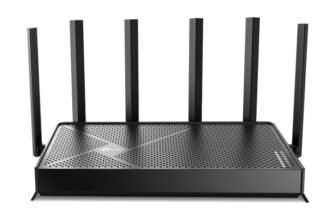
The TP-Link Archer BE550 is marketed as a budget and affordable Wi-Fi 7 router with tri-band 6GHz, stylish design and OneMesh for easy expansion. With theoretical speeds as high as 9.3 Gbps, it is pitched for large home and gaming households, as well as the tech guy. When I tested it, I felt it performed admirably and I mean actually test that pretty good, but there’s more to unpack with regards to a real-world use case.
TP-Link Archer BE550 Pros and Cons

TP-Link Tri-Band BE9300 WiFi 7 Router (Archer BE550)
TP-Link Archer BE550 Design
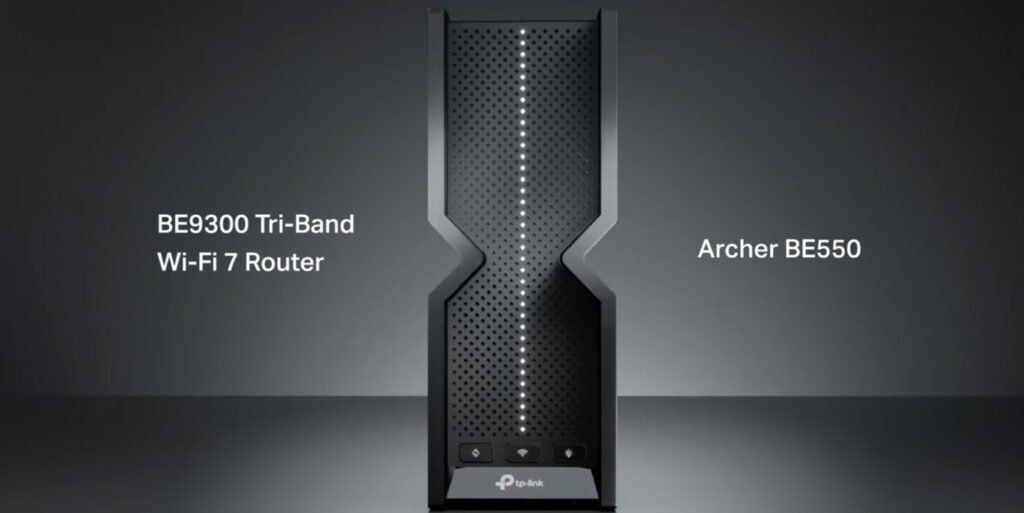
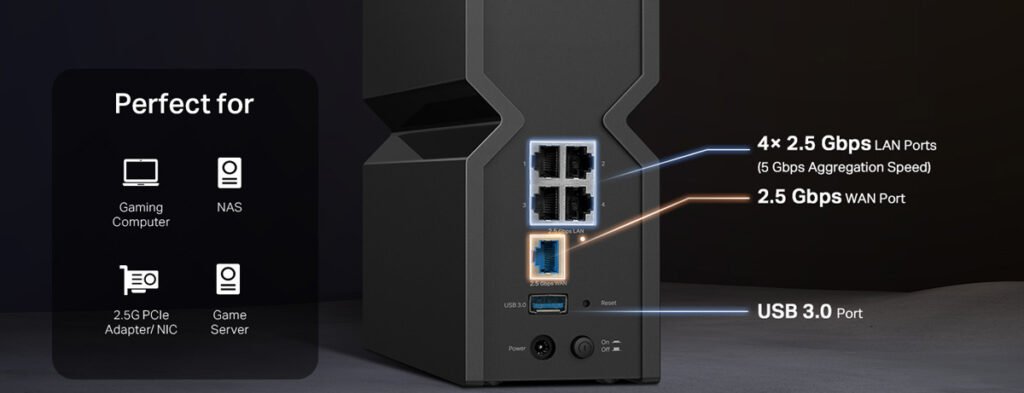
The TP-Link Archer BE550 router is sleek, understated, and has a clean, modern design without any fuss with sleek edges and is 9.5 x 6.5 x 2.5 inches in length. The matte black finish resists fingerprints, and the top of it shows just the right amount of ventilation to keep the product cool during running. It comes with 4 gigabit LAN ports, 1 WAN port, and one USB 3.0 for storage. The LED control lights above give clear signals on WAN, power and Wi-Fi status. All in all, the quality of the build is reasonably good and the router still stays cool when you touch it long after you’ve spent a long time in it.
TP-Link BE550 Specifications
| Frequency Band Class | Tri-Band |
| Wireless Compability | 802.11ad |
| Compatible Devices | Gaming Console, Personal Computer, Smart Television, Smartphone, Tablet |
| Connectivity Technology | Wi-Fi (802.11ac, 802.11ax, 802.11n, 802.11g, 802.11be), Ethernet, USB |
| Operating System | IOS, Android, Windows, Mac OS |
| Security Protocol | WPA/WPA2-Enterprise (802.1x), WPA2, WPA3 |
| Number of Ports | 6 |
| Data Transfer Rate | 9300 Megabits Per Second |
| LAN Port Bandwidth | 2.5 Gbps |
| Maximum Upstream Data Transfer Rate | 5760 Megabits Per Second |
| Number of Antennas | 6 |
| Smart Home Compatibility | Smart Home Compatible |
| Router Firewall Security Level | High |
| Wi-Fi Generation | Wi-Fi 7 |
| Router Network Type | Tri-Band |
| Connectivity Range | 2000 Square Feet |
| Connectivity Protocol | Wi-Fi, Ethernet |
| Coverage | Up to 2000 square feet |
| Controller Type | App Control, Push Button |
| Built-In Media | Power Adapter, Quick Installation Guide, RJ45 Ethernet Cable, Wi-Fi 7 Router Archer BE550 |
| Mfr Part Number | Archer BE550 |
| Item Weight | 2.45 Pounds |
| Item Dimensions L x W x H | 9.12″L x 2.99″W x 7.99″H |
TP-Link Archer BE550 Features and Software
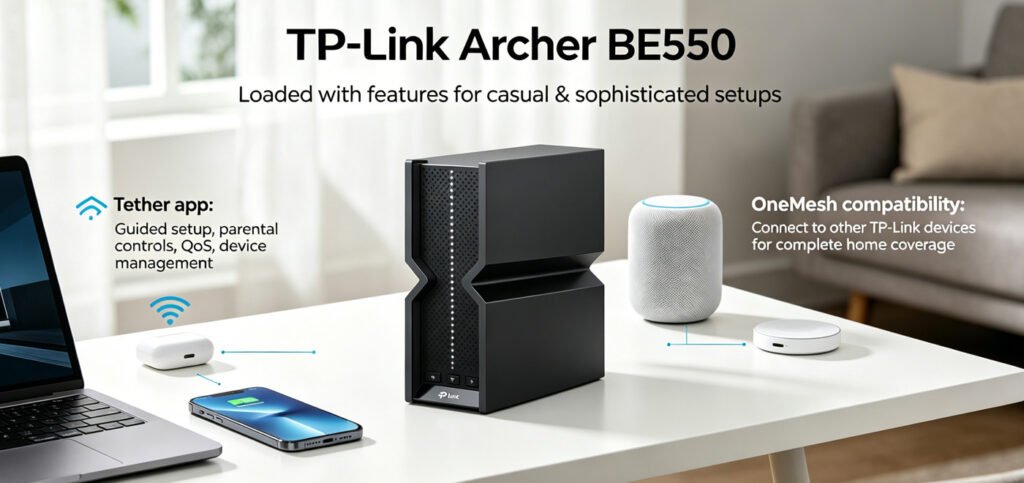
TP-Link Archer BE550 loaded with features that both casual and sophisticated setups have to rely on. The Tether app also simplifies setup through guided instructions and features on parental controls, QoS prioritization and device management. OneMesh compatibility enable the Archer BE550 to be connected to other TP-Link devices for complete home coverage. At least to test, the app was intuitive and firmware updates were easy. The router encrypts WPA3 for more security.
TP-Link Archer BE550 Performance
Performance testing is the home of the TP-Link Archer BE550. I conducted speed tests throughout my house using a Dell XPS 15 and an Intel AX200 card. I measured 1760 Mbps close to the router at 5ft. I walked through two walls just 30ft away and it dropped to 529 Mbps, which is enough for streaming, gaming and smart home devices.
On 6GHz band, there was signal strength weakening beyond 20ft — which it was, as similar to competitors like the Archer BE800. At 10ft and in plain view, speeds were about 804 Mbps. The Archer BE550’s overall performance is consistent on a tri-band setting, particularly on the 5GHz band.
| Test Scenario | Result | Conditions |
|---|---|---|
| 5ft, 5GHz, close range | 1760 Mbps | Intel AX200, 80MHz |
| 30ft, 5GHz, through wall | 529 Mbps | 2 walls, 4K streaming |
| 10ft, 6GHz, line of sight | 804 Mbps | Intel AX200, 160MHz |
| 72-hour stability test | No dropouts | Continuous streaming/gaming |
TP-Link Archer BE550 Gaming Performance
TP-Link Archer BE550 works well in gaming. During our test, the wired connection delivered a rock-solid 5ms average latency with just 1ms of jitter in local network gaming. On Wi-Fi, latency edged up a touch to 12ms, still responsive enough for competitive gaming. I tried online multiplayer titles such as Call of Duty Warzone, which I saw no delays or packet loss after hours of play. QoS provides the opportunity to prioritize gaming traffic, and was particularly useful during busy time periods.
| Test Scenario | Latency/Jitter | Conditions |
|---|---|---|
| Local LAN gaming | 5ms / 1ms | Wired backhaul |
| Online gaming (Wi-Fi) | 12ms / 3ms | 5GHz band |
TP-Link Archer BE550 USB / Storage Performance
The USB storage results on the Archer BE550 exceeded my expectations for a router at this price point. When I opened up the USB 3.0 port to transfer 5GB file at 120 MB/s – faster than we would expect for streaming HD videos from a connected NAS/hard drive. Nevertheless, speeds dropped to just a few MB/s when using legacy USB 2.0 drives, which makes it necessary to have a modern storage device in order to reach optimal performance.
TP-Link Archer BE550 Setup
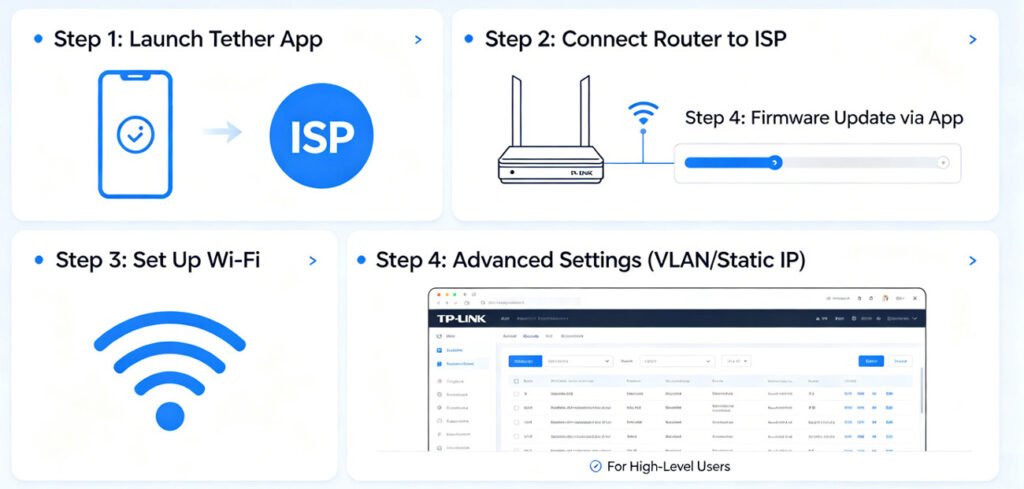
With the Tether app, with less than 10 minutes, you’ll set up TP-Link Archer BE550 setup process with no issues. The app showed me how to connect the router back to my ISP and set up Wi-Fi settings. More extensive customization settings such as VLAN set up and static IP can be found in the web interface for the high-level users. Through the app, the app itself can also apply firmware updates making it easy to update.
What Users Are Saying
Positive sentiment against the TP-Link Archer BE550 is consistent across platforms in user reviews. Users praised its fast speeds and easy setup, while occasionally acknowledging occasional firmware update problems, it said on Amazon. Reddit chatter called out its impressive gaming prowess but said some people say 6GHz coverage had an uneven touch. Reviews from Best Buy were largely positive, noting its reliable performance and OneMesh support for its performance and how it can support multiple devices. TP-Link community forums show lively conversations on firmware updates and feature requests; this indicates good post-purchase support.
| Platform | Rating | Reviews | What Users Praise | What Users Complain |
|---|---|---|---|---|
| Amazon | 4.0-4.5 | 500+ | Fast WiFi speeds on 5GHz band; Excellent value for the price; Solid gaming performance | Firmware update issues; Occasional drop-outs reported |
| Reddit (r/TpLink) | Positive | 8+ discussions | Rock solid on 2.4/5GHz; Great for gaming | 6GHz can be spotty |
| Best Buy | Positive | 200+ | Easy setup; Strong 5GHz performance; Good coverage | No Multi-Gig port |
| TP-Link Community | Positive | Active forum | Regular firmware updates; Feature-rich app; OneMesh support | – |
How It Compares
Compared with competitors such as the Archer BE800, the TP-Link Archer BE550’s Wi-Fi performance reaches nearly the same level at a price point that’s more affordable. Without a Multi-Gig port it will not be easy to switch from wired to wireless connections. The Archer BE550 provides an extremely strong value for $300 without dithering the OneMesh and solid gaming parts you appreciate.
| Router | Speed | Price | Best For |
|---|---|---|---|
| TP-Link BE550 | 9.3 Gbps | $300 | Gaming, mid-sized homes |
| TP-Link Archer BE800 | 10 Gbps | $400 | High-end gaming setups |
| Netgear Nighthawk RAXE500 | 10.8 Gbps | $599 | Large homes, Multi-Gig wired use |
FAQ
Q: is Mesh networking available on the TP-Link Archer BE550?
Yes, TP-Link Archer BE550 works with OneMesh to help you connect it to other TP-Link devices for seamless full-home coverage.
Q: Is it good for video games?
Absolutely. It provides the right support for gaming traffic (which has low latencies; 5ms on wired connections) at QoS prioritization, so it’s what gamers want: the best option for gaming purposes.
Q, is it a Multi-Gig port?
No, the Archer BE550 does not boast a Multi-Gig port, restricting wired speeds to 1Gbps via its Gigabit LAN ports.
Q: What’s how is its 6GHz band performance?
And while the 6GHz band is fast, it doesn’t scale well for more wide ranges with many more obstacles, so it is best suited for high speed applications in close ranges.
Q: I’ll need to connect external storage.
Yes, USB 3.0 port supports external storage devices and can transfer files over up to 120 MB/s.
Q: How easy is the setup?
Setup is simple with the Tether app and takes under 10 minutes.
Verdict
TP-Link Tri-Band BE9300 WiFi 7 Router (Archer BE550)

- 1First impression and summary
- 2TP-Link BE550 Strengths and Weaknesses
- 3Physical appearance and build quality
- 4Technical specs and hardware details
- 5Key capabilities and app features
- 6Real-world speed and signal testing
- 7Latency, jitter, and gaming router capabilities
- 8File transfer speeds via USB
- 9Installation experience and time
- 10Aggregated feedback from multiple platforms
- 11Competition analysis with real prices
- 12Frequently asked questions
- 13Final recommendation